A Mac app for pointing a coding agent at the element you mean,
so the words you type are only about the change.
Intro
A click says which element.
The note says what to change.
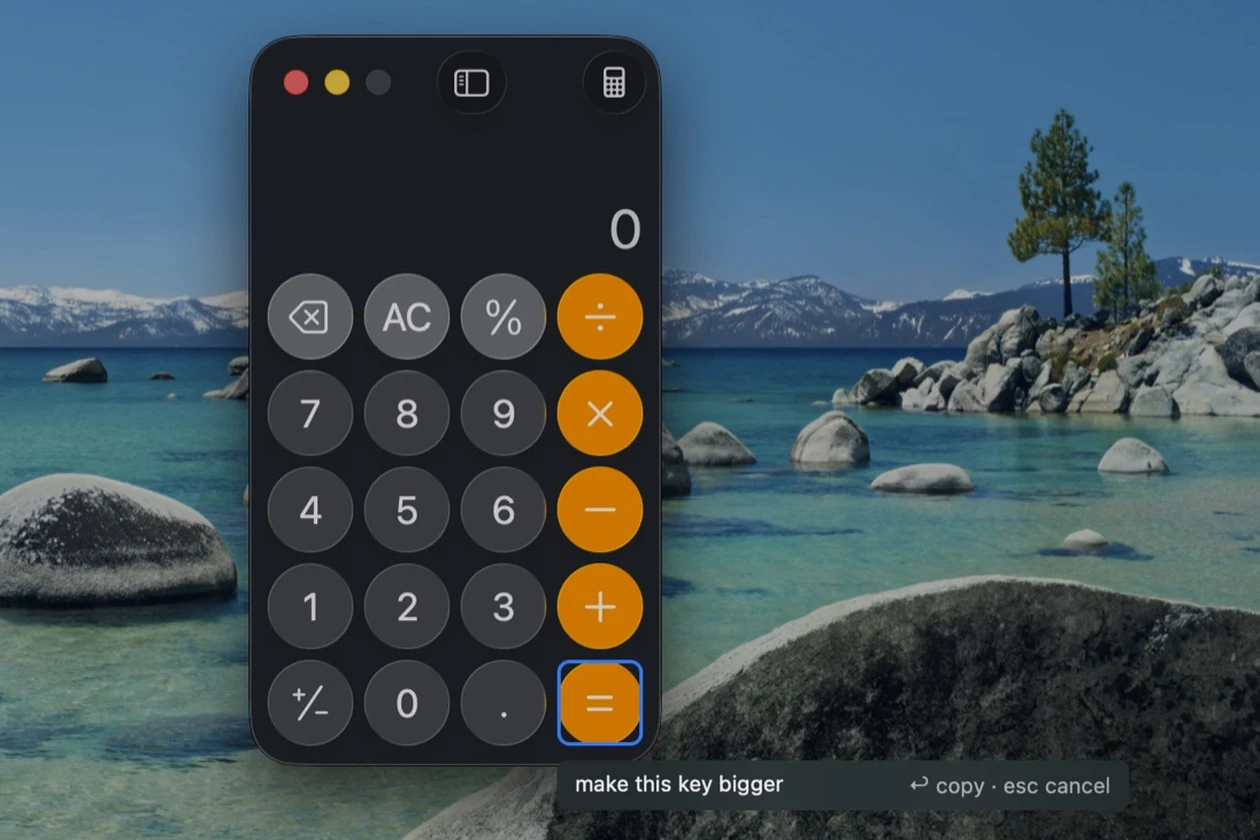
Locant is a free, open-source Mac app for pointing a coding agent at the exact element you mean. Click it in any app, type what should change, and the agent gets the element itself: its identifier, its frame, its place in the tree, and a crop.
I design and build my own apps end to end, and a coding agent does most of the typing. Seeing what was wrong took a second. Describing it took the rest: which screen, which component, where it sits in the tree, and then the change itself, in words the agent would read the way I meant them. That attention went into translation, not design.
I made Locant for Palantir's Product Design Show & Tell. Versions 0.1 to 0.4 were built inside the three-hour window, timer running. Daily use then took it to 0.8.1 in nine days, and a blind test against a screenshot found where it still fell short. One sentence in the payload fixed that.
Role
0→1 Product Designer & Builder
Timeline
3 Hours to v0.4
9 Days to v0.8.1
Sep 13 to Oct 1, 2026
Made For
Palantir Product Design
Show & Tell
Scope
A Spec for Every Version
Interaction and Visual Design
Swift App and MCP Server
Site, Film, and Measurement
Tools
Swift 6 · AppKit + SwiftUI
Claude Design · Claude Code · Codex
Output
Free and Open Source · v0.9.2
Signed, Notarized · MIT · Homebrew
Highlights
One capture, and the agent goes straight to the right file
The agent
The payload pasted into Cursor, and the edit lands in SeedScreenshot.swift
The element, not a screenshotAny Mac app, any agentRight file in half the timev0.1 to v0.4 in three hours
Any agent
The same payload in Cursor, Claude Code, Codex, and Antigravity
Before & After
One click flips between the orb before and after the edit
The ring
Hold the ball, then release on an action
Color
A magnifier on the pixel, and the value copied
The Problem
The hard part wasn’t the fix.
It was saying which one.
Locant is for makers who build with agents and tweak layout and visuals by talking to one: designers who prototype in code, design engineers, and indie developers. It started with my own friction, building Oryne that way.
UI polish starts as something seen: a button that should be rounder, a card that needs room. A coding agent works in text and code. Every fix meant translating one into the other, and the translation was mine to do.
First, which element: which screen, which component, where it sits in the tree, in names the agent could match to the code. Then, what should change. The first kept eating the second. By the time I had written which button, I had lost what I was actually going to say about it.
Before: a whole sentence about which orb, and not yet a word about the change
A screenshot doesn't remove that work. It hands the first half to the agent. I gave Claude Code a screenshot of the Simulator and a note that already said how to make the change. This is what came back:
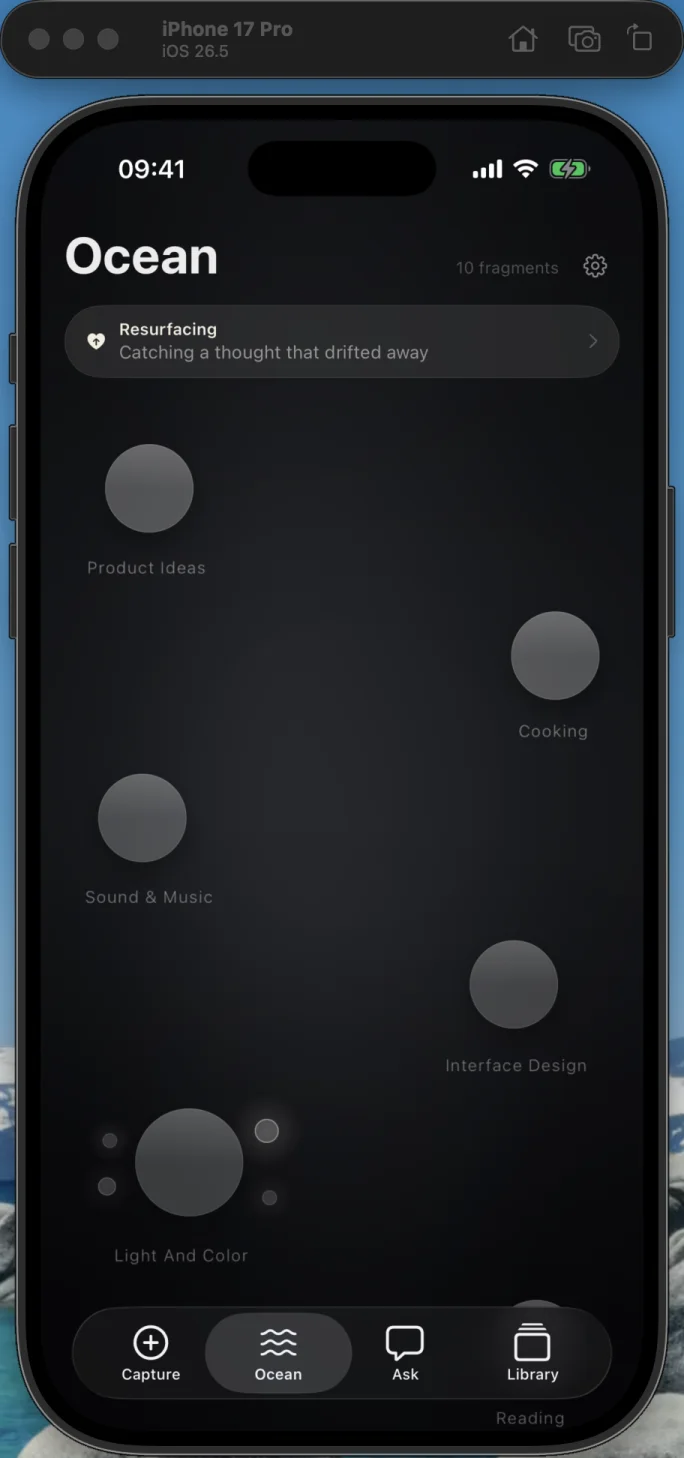
The screenshot it was given
Claude Code's reply
I haven't changed anything yet: I can't tell from the screenshot which orb you mean.
`screenshot-crop.png` shows the whole Ocean screen, and nothing in it points to a single orb. Besides Light And Color, five orbs could be the one:
· Product Ideas: 1 thought ("Half a sentence from the train")
· Cooking: 1 thought ("Weeknight noodles")
· Sound & Music: 1 thought ("Four notes in the cafe")
· Interface Design: 2 thoughts (the Apple Design Principles link and "A button that doesn't need a label")
· Reading: 2 thoughts (the Are.na Editorial link), mostly hidden behind the tab bar
Which one should get the three thoughts? Once you tell me, I'll add three new thoughts in the same voice to `Oryne/App/SeedScreenshot.swift`, without touching the layout engine. Then I'll run your build command and report the result.
17 of 18 screenshot runs stopped here. The one that didn't guessed, and happened to be right.
Claude Code on Opus 5 at medium effort, given the screenshot and a note that already said how to make the change. Measurement run, September 15, 2026.
It understood the change, down to the mechanism. It could not know which orb. That is the half Locant takes.
Landscape
Web tools point at elements.
Mac tools send the window.
In September 2026, three kinds of tool handed a screen to a coding agent, and screenshot tools sat under all of them. None let a person point at one element in a native app and hand it to whichever agent they use.
Tool
You point
One element
Any agent
Native apps
Codex Appshots, Claude Desktop quick entry
You point: yes. You point · A double-tap
One element: no. One element · The window or a region
Any agent: no. Any agent · Their own agent
Native apps: yes. Native apps · Any Mac app
Agentation, Stagewise, Cursor Design Mode
You point: yes. You point · A click
One element: yes. One element · The DOM node
Any agent: partly. Any agent · Depends on the tool
Native apps: no. Native apps · Web pages only
Peekaboo, Xcode 27 Device Hub
You point: no. You point · The agent looks for itself
One element: yes. One element · The accessibility tree
Any agent: partly. Any agent · Over MCP, or in Xcode
Native apps: yes. Native apps · Mac apps, the Simulator
CleanShot X, Shottr
You point: yes. You point · A drag
One element: no. One element · Pixels
Any agent: yes. Any agent · An image, anywhere
Native apps: yes. Native apps · Any Mac app
Locant
You point: yes. You point · A click, with your note
One element: yes. One element · Identifier, frame, and path
Any agent: yes. Any agent · Clipboard and MCP
Native apps: yes. Native apps · Any Mac app, and the Simulator
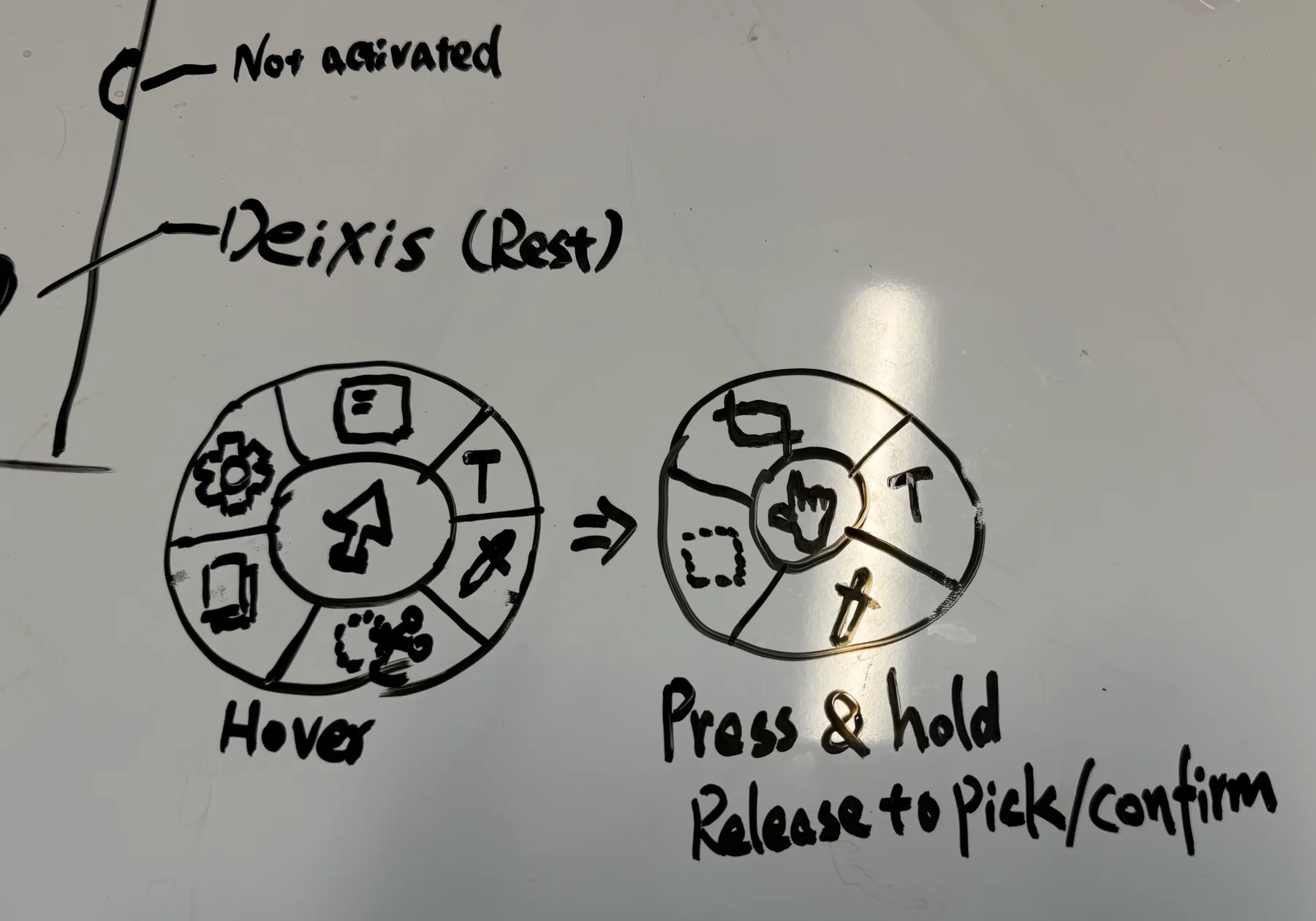
Locant began as one more of them. On the whiteboard it was a screenshot tool for AI design: screenshots plus context, to help the agent design. The research turned it, before any code, toward the one thing none of them did.
The first idea: screenshots plus context, to help the agent design
What it became: point at the element, so the agent knows what to change
That turn changed three things. No window capture, because two platforms already send the window. A payload of plain text with an image path, because agents handled MCP image blocks unevenly. And field names with no Apple prefix, so another platform could write the same shape.
Appshots gives your agent the window. Locant gives it the element.
Decisions
A pixel is a guess.
An identifier can be grepped.
Before any code, one sentence set the feel: Locant should read like something macOS grew, in the family of the ⌘⇧4 crosshair, Live Text, and Spotlight. It appears, is used, and is gone. Three rules followed from it.
· Borrow, don't brand. System accent, system type, system materials. The only mark of its own is the pointing hand.
· Nothing lingers. Every surface dismisses itself, and a confirmation lasts one second.
· Quiet until approached. Nothing pulses, bounces, or waits for you to notice it.
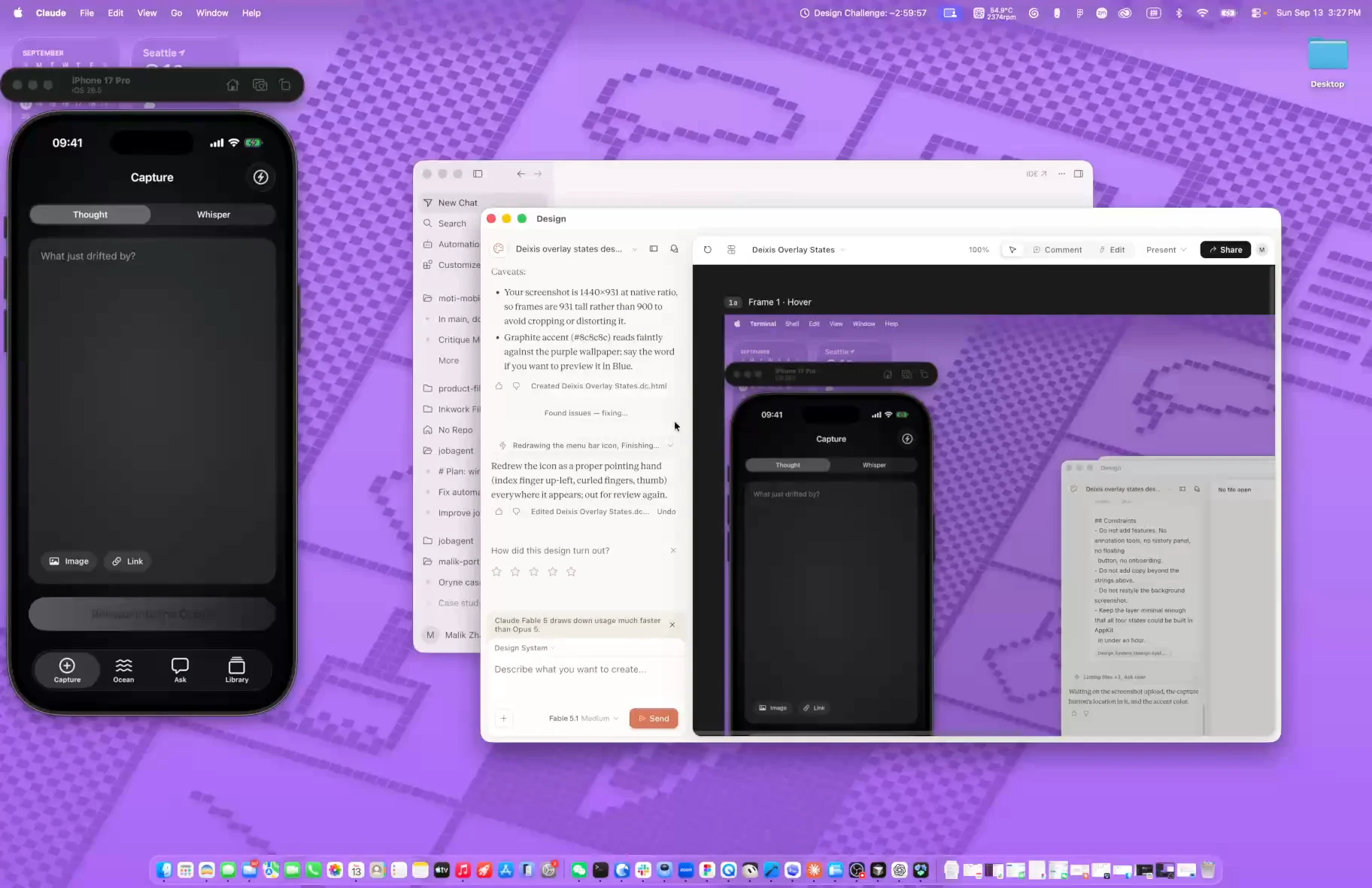
Claude Design: the overlay's states, drawn before any code, three seconds into the timer
The accessibility tree, not the pixels
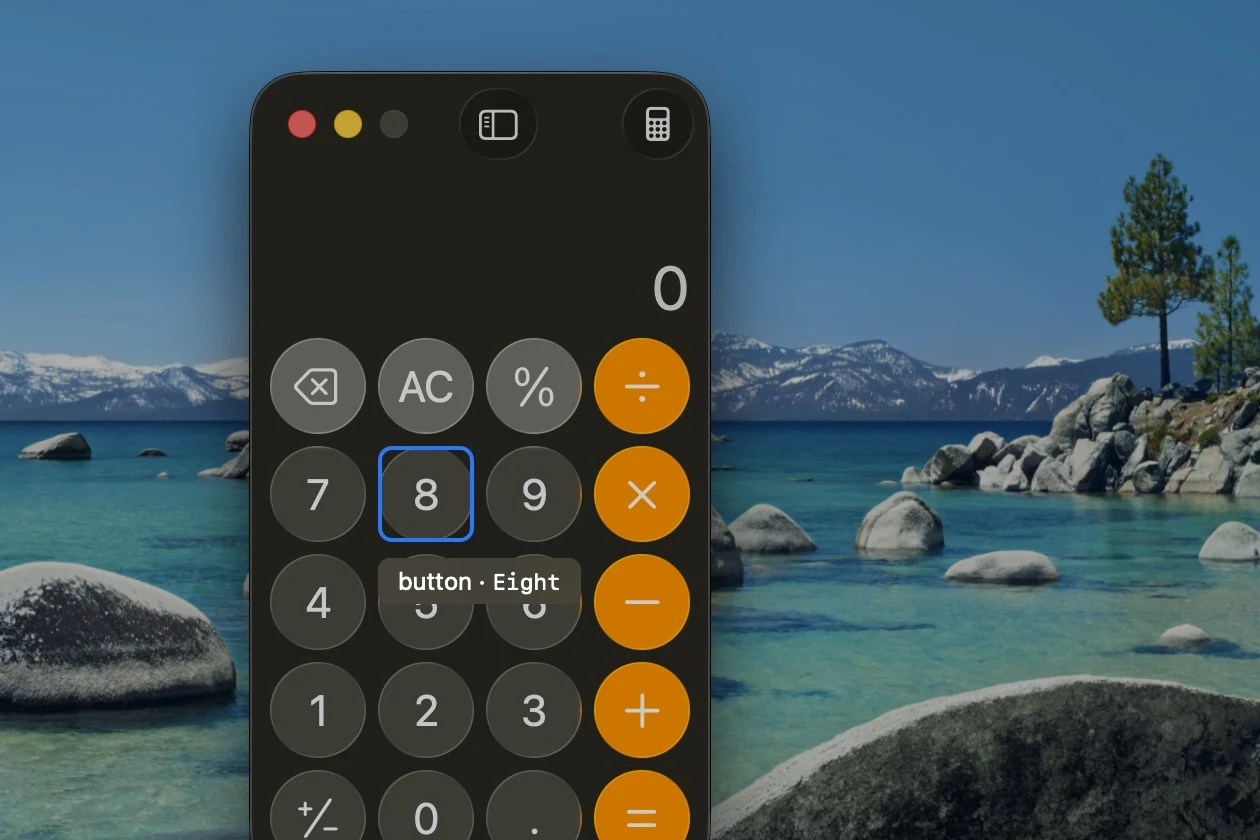
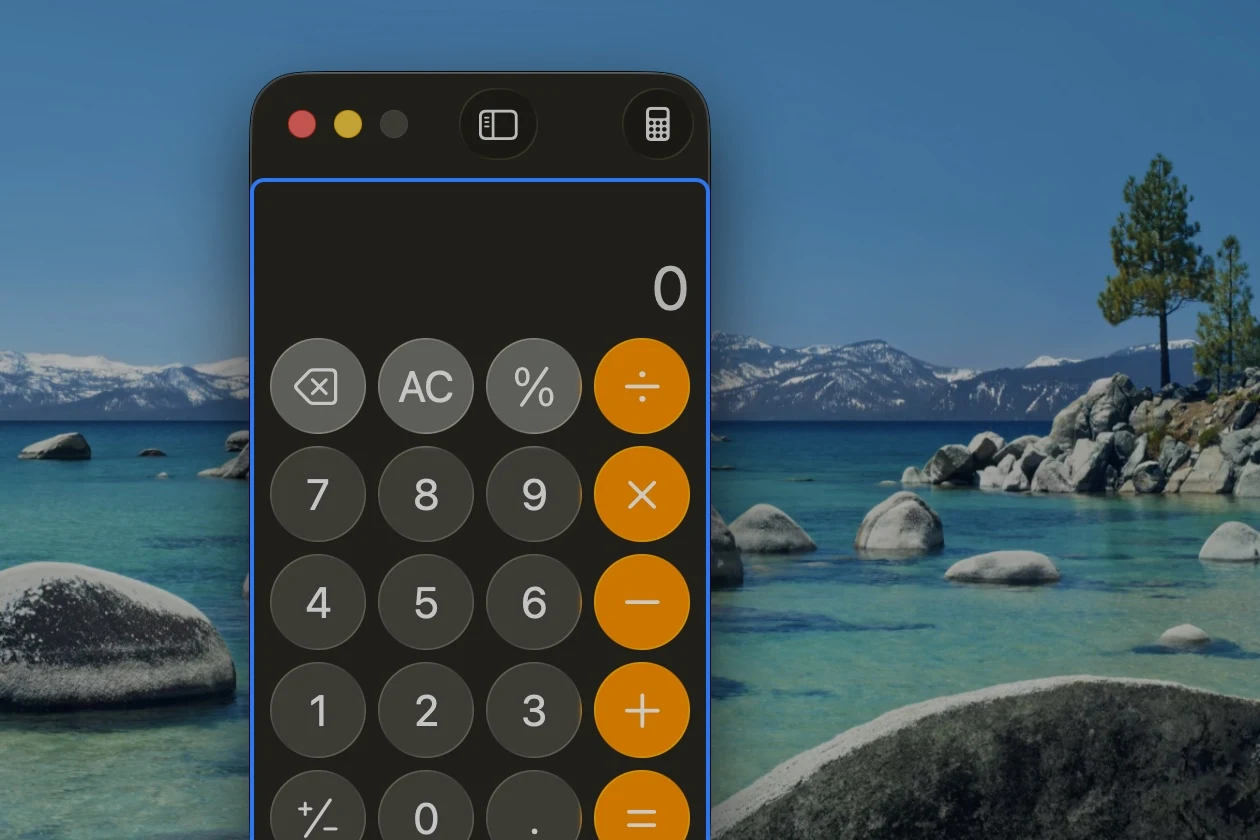
Every native app already carries the answer in its accessibility tree: a role, a label, and often the exact identifier its code uses. A pixel is a guess. An identifier is something an agent can search the code for. The overlay shows it on hover, before the click, so you know what the agent will get.
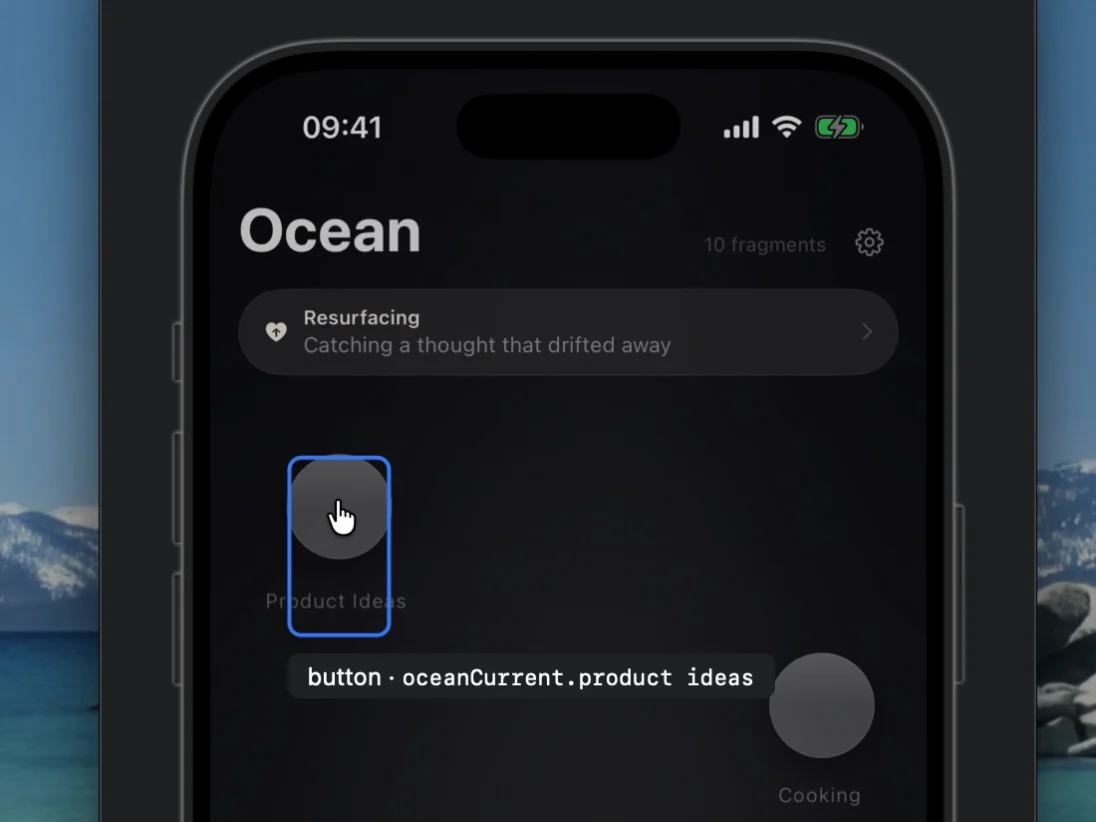
Hover: the element under the cursor, and its identifier
Option: one level up, to the keypad that holds it
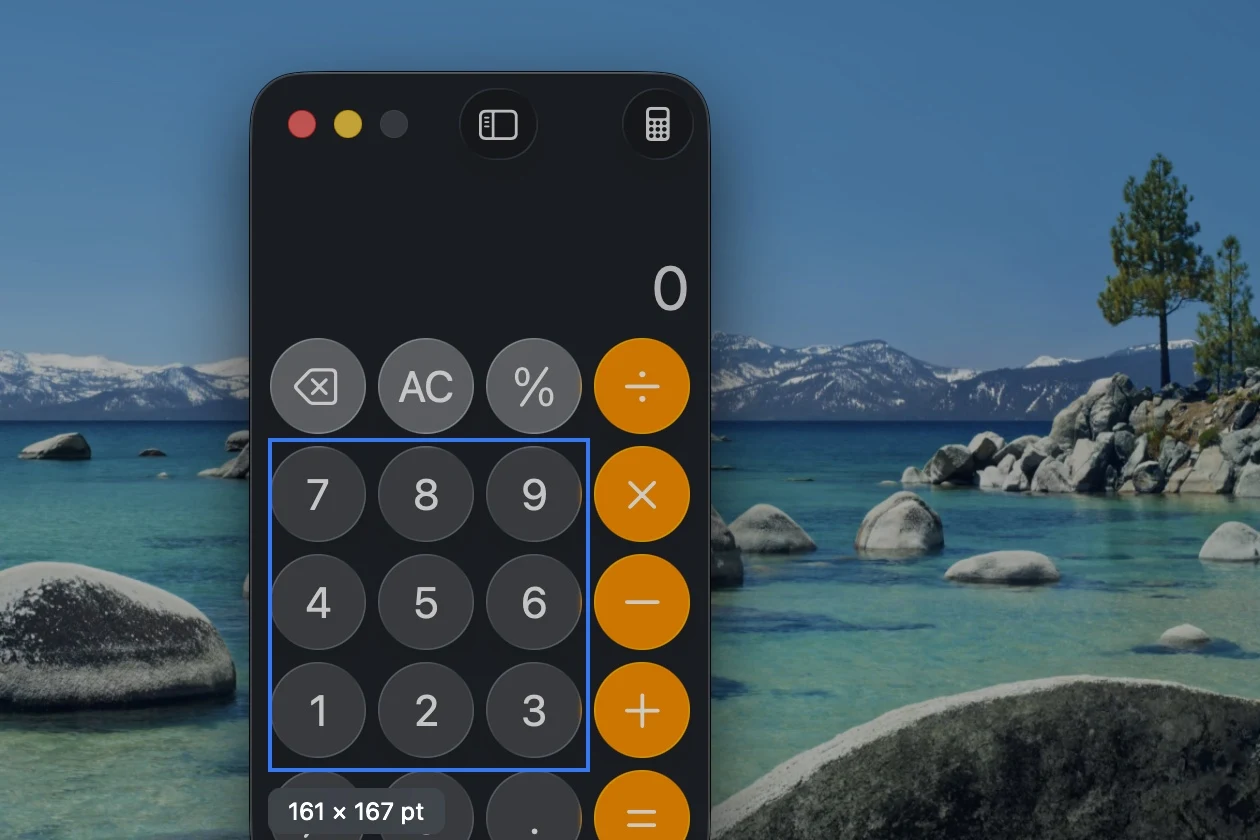
Drag: a frame, with every element inside it listed
Note: what should change, then Return
It leaves as plain Markdown, and every line sits where the reader at the other end needs it. This is the capture in the clips above, as Locant wrote it:
## Locant capture (fix)Image: /Users/malik/Pictures/Locant/locant-simulator-20260915-021609-zwec.png1App: Simulator (com.inspireocean.app) · Window: iPhone 17 Pro – iOS 26.5Captured: 2026-09-15 02:16 · Image region: 139×183 pt @2x (element + 40 pt)Project: /Users/malik/Documents/inspire-ocean2### Target elementbutton "Product Ideas" · id=oceanCurrent.product ideas3Frame: x=152.7 y=-1335.3 w=58 h=102Path: application > window > group > button#oceanCurrent.product ideas4### Notemake this orb bigger, with satellite nodes like Light And Color5
1
The crop, path first. A terminal agent gets only text on paste, and any agent can open a file.
2
The folder that built the app on screen. The test below put one more sentence here.
3
The identifier. What the agent greps for.
4
Where it sits in the tree.
5
Your note, last. The agent reads the context before the intent.
Each rung asks less of the app
Not every view has a name. Views drawn in SpriteKit, Canvas, or Metal expose pixels nobody labeled. So a capture steps down a ladder, each rung asking less of the app than the one above, and the payload says which rung it reached.
The element names itself, and the agent greps for the name.
02
Label
unknown "Sweet level" · no identifier
No identifier. Grep the label text; add .accessibilityIdentifier("…") to this view so the next capture is exact.
A label to search for, and the line the view is missing.
03
A frame you draw
### Elements in frame (6)
Drag on the overlay, and everything inside is listed.
04
Text and neighbors
### Text in image · ### Nearby
The words in the image, and the nearest named elements with their offsets.
05
The image alone
No element information available (app exposes no accessibility tree). Use the image.
If this view is yours, give it .accessibilityElement() and .accessibilityIdentifier("…") so Locant can point at it next time.
The payload says so, keeps your note, and says how to name the view next time.
The agent always gets something to grep, or an honest null.
One gesture instead of a screenshot tool
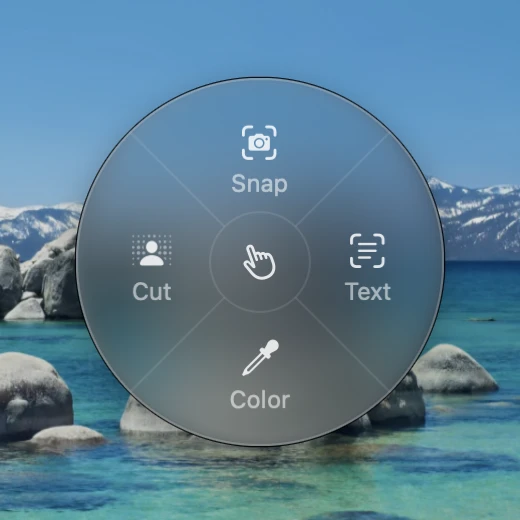
It had to replace my screenshot tool, or I would keep switching apps while polishing. Snap, Text, Color, and Cut ride the same gesture, and one rule decides what stays on disk: an action that makes an image keeps a file for 30 days, and one that makes text or a value keeps nothing.
A ball that wakes when you reach for it
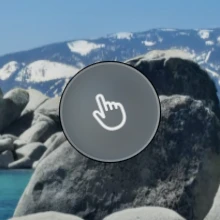
A hotkey is invisible and the menu bar is far. So Locant has a glass disc that tucks into the screen edge and wakes as the cursor approaches. Click it to point. Hold it, and a ring unfolds.
DockedAfter two seconds without use, it tucks into the nearest edge.AwakeMove toward it and it comes back out. Drag it anywhere.ReadyUnder the cursor the hand appears. Click to point.The ringPress and hold for Snap, Text, Color, and Cut.
Four actions, and where to put them
Snap, Text, Color, and Cut needed a home on the ball. A ring gives every action its own direction at the same distance, so the hand learns all four and picks without looking. Every other layout I weighed broke one of those.
Ring
Shipped
Each action gets its own direction, the same distance away. Pick without looking.
Square panel
You find the box, then aim.
Pop-up list
Near an edge it flips, so actions move.
Stack
Each action sits farther than the last.
Picker
The third action is three moves away.
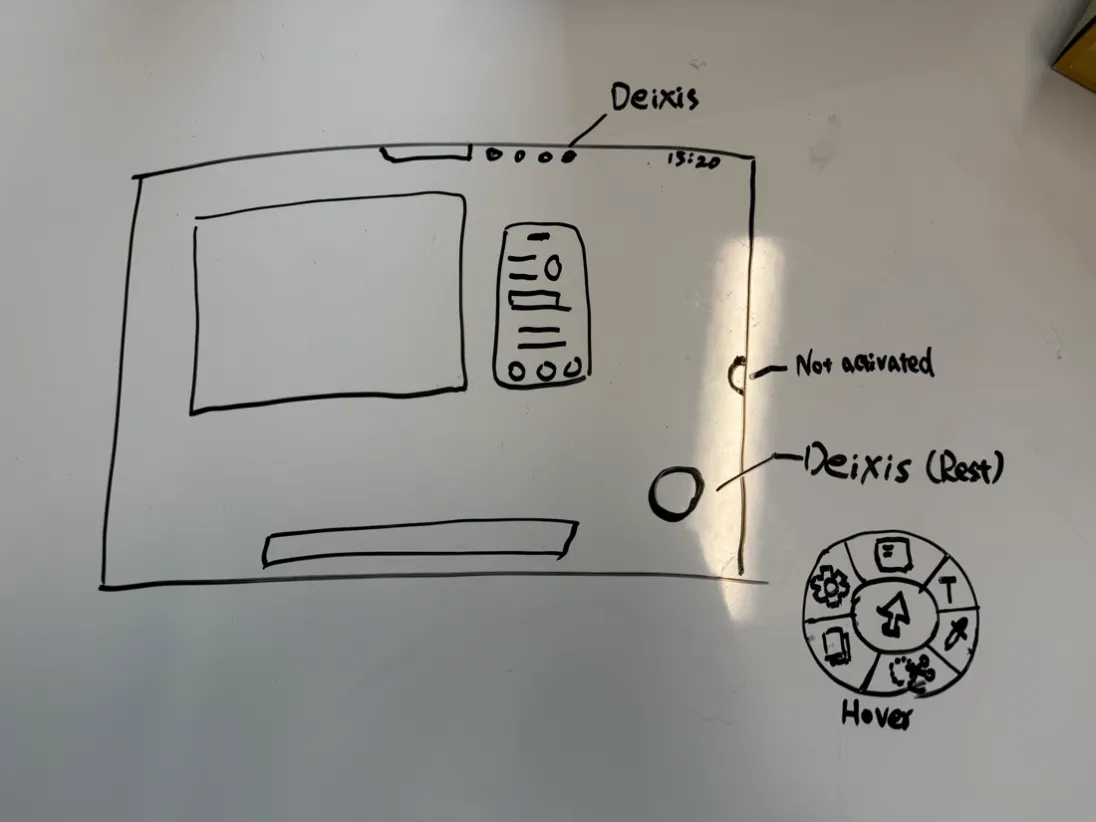
On the whiteboard, hovering the ball opened a ring of six. Only press and hold shipped, with four segments at the compass points. Hover collided with docking at the edge and opened by accident, and 90 degrees per target is hard to miss. Settings moved to the menu bar: it was not ring material.
Whiteboard: the ring on hover, and the press and hold that shipped
Build
Four versions inside the three-hour window
The research, the PRD, and the whiteboard came first, and so did a spec for v0.1 with a time plan: six slots, each with an exit condition, and one rule for the afternoon.
Slot
Work
Exit condition
0:00 to 0:10
Confirm the system-wide fallback
Exit · Result noted in README. Hard stop at 0:10.
0:10 to 0:45
ElementResolver + tests with recorded AX fixtures
Exit · 8 tests green
0:45 to 1:30
Capture: hotkey, live overlay, window hit-test, crop
If a slot overruns by more than 10 minutes, cut the next slot's polish, not its core.
specs/v0.1.md · Sep 13, 2026
The timer started at 15:27 on September 13. From there AI came in everywhere except the decisions: the overlay drawn in Claude Design, one spec per version written with Claude, the Swift written by Claude Code, and Codex for a second opinion. The plan gave v0.1 all three hours. The loop worked 47 minutes in, so the window held three more versions.
The three-hour build, Sep 13
v0.117:07
The pointing flow: a hotkey, a click, a payload
v0.2-region17:17
The ladder: a drawn frame, text, and neighbors
v0.317:45
Usable by someone else: mode inferred, Settings, the ball
v0.3-actions17:58
Snap, Text, Color, Cut, and the ring
v0.418:08
Before and after, found again by identifier
Ready for other people, Sep 14 to 15
v0.5Sep 14
The first minute: hints that appear once and fade
v0.6Sep 14
A download that works, and a daily update check
v0.7.1Sep 15
Renamed Locant, and an MCP server inside the app
Fixes from daily use, Sep 16 to 21
v0.8Sep 16
Web pages carry their DOM handles, and Shift picks several elements
v0.8.1Sep 21
Paste into your agent, trackpad taps, and sounds
The release candidate, Sep 29 to Oct 1
v0.9.0Sep 29
Homebrew, diagnostics, and CI, for Macs that are not mine
v0.9.1Oct 1
Xcode 27's Device Hub, and one sentence under the Project line
v0.9.2Oct 1
A paste arrives whole, and the ball rests beside the Dock
v0.4 was tagged at 18:08, with about nineteen minutes left on the timer.
Every version started as a written spec
The loop that fit four versions into three hours is the one every version since has gone through.
01
Spec
Scope, a time plan, and exit conditions, written first.
02
Build
Claude Code builds. Codex gives a second opinion.
03
Check
CLAUDE.md guardrails, and tests on the pure functions.
04
Use
Use it daily. What breaks becomes the next spec.
One spec per version, from 0.1 to 0.9.
What fought back
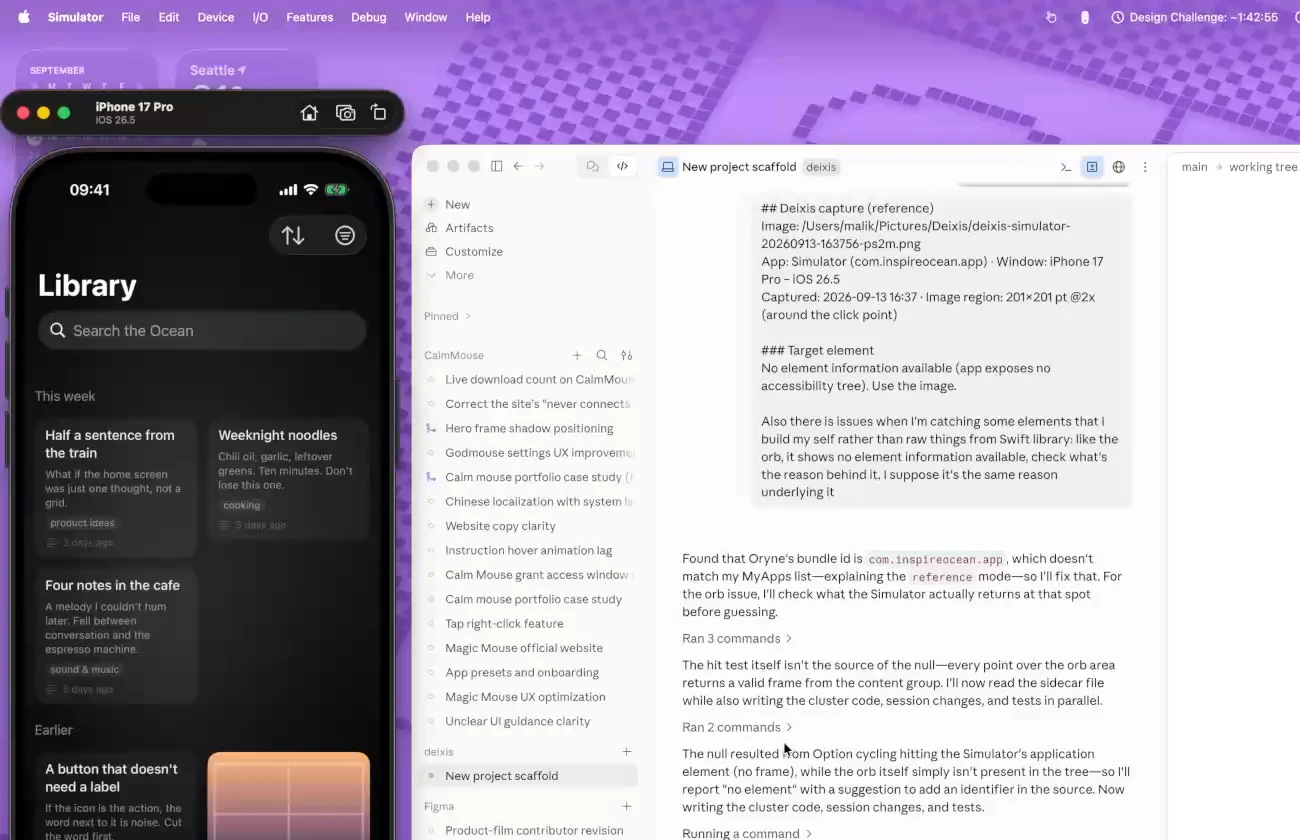
With an hour and 42 minutes left, a capture of Oryne's orbs came back empty: no element information available. The orbs are drawn in SpriteKit, and nothing had named them.
The empty capture: Oryne's orbs, with an hour and 42 minutes left
Two things came out of that capture. The ladder, so a view with no name still gives the agent something to work from. And a fix to Oryne itself: at 17:02 its orbs were exposed to accessibility with identifiers, which is why every capture on this page can name the Product Ideas orb. Pointing at my own app showed me what it had been hiding from the accessibility tree.
The other fight was Locant seeing itself. Every capture leaves Locant's own windows out, so the overlay, the ball, and the note never land in the picture. Point at Locant's Settings, and it reads the window behind.
Locant on Locant: its own Settings reads as image only, then the window behind it
The product before the plumbing
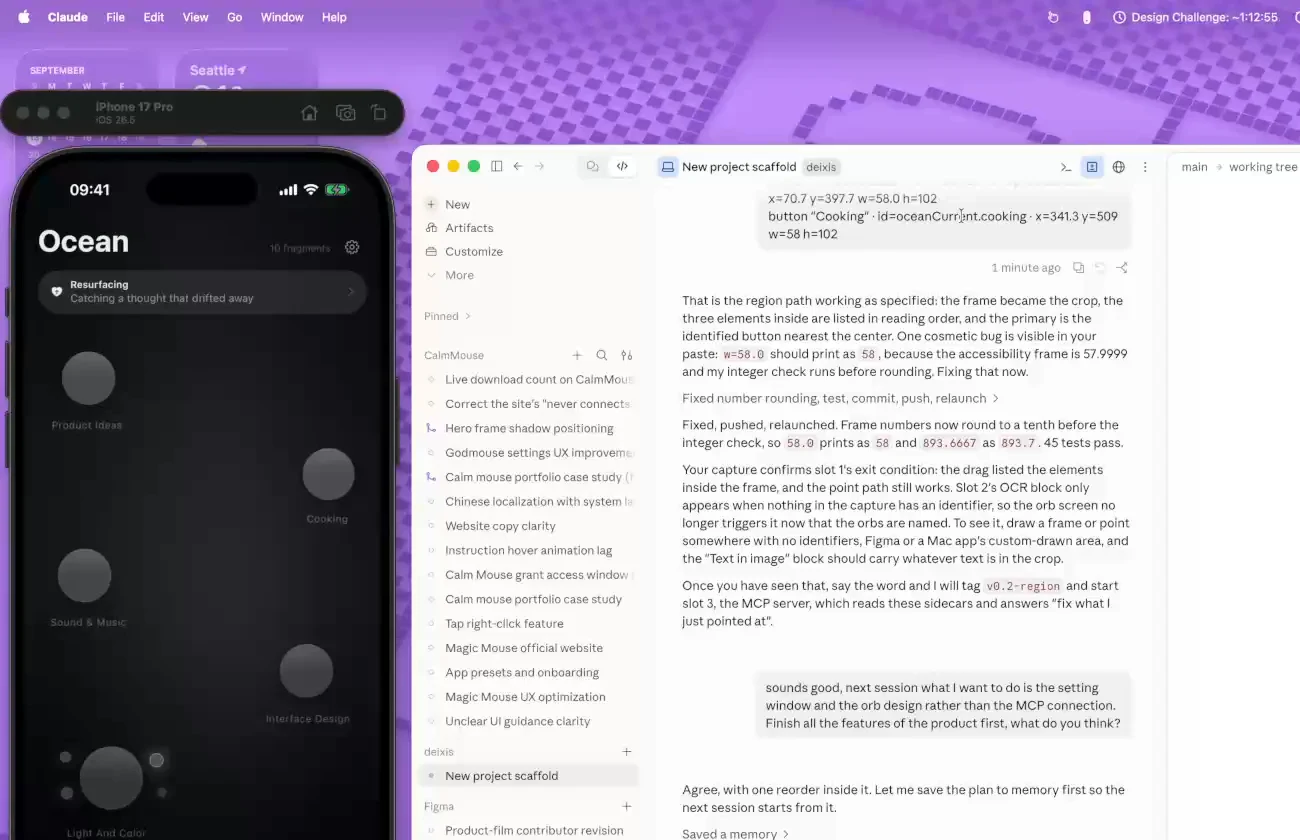
With an hour and 12 minutes left, the plan said the MCP server came next. I moved it behind the product: Settings and the ball first.
The call: Settings and the ball first, the MCP server after
It shipped in 0.7.1, on September 15, and not as the TypeScript package the PRD had planned. The server lives inside the app, started with a flag, because the captures live on the Mac, the app is already signed and updated, and nobody has to install Node.
Daily use broke my own assumption about MCP
I built the server so an agent could fetch a capture itself. In daily use it saved exactly one step, the paste: I still switched to the agent and typed a sentence asking for the capture. So Return learned to paste. With one switch on, it brings forward the agent I used last and pastes the capture into its message box.
A second switch pressed send whenever the capture carried a note. On the first day of using it, an automatic send went to the chat I had used last, a live one, and interrupted it. A send cannot be taken back, so that switch came out before it ever shipped.
Locant pastes. The person sends. Everything after 0.4 was the product earning a second user: a first minute with no tour, a download that works, and a paste that waits for a person.
Final Design
One element, from pointed at to verified
Every clip below is a recording of the released app. It reads any Mac app, web pages in Chromium browsers, and the iPhone Simulator, which Xcode 27 moved into Device Hub.
Hover: Calculator, a CalmMouse slider with no identifier, the orb, then a web page
The payload is plain Markdown, so any agent takes it on paste. Some kept only half of it: Cursor and Grok Bot the image, Codex the text. So since 0.9.2, your own ⌘V in their message box pastes the text, and Locant adds the image right after. Locant never sends. The paste waits where it can still be read, trimmed, or deleted before a token is spent, and the MCP server stays the way an agent looks back: the history, the images, and marking a capture done.
Any agent: the same payload in the Codex app, then in Antigravity
After the edit, run the app again. Locant finds the same element by its identifier, captures it when it looks different, and keeps every iteration with the git diff beneath.
Before & After: the orb found again after the edit, 1 file changed and 28 insertions
The four other actions ride the same ball. Hold it, release on one, and the result is on the clipboard.
The ring: hold the ball, release on Color, and pick a value from the screen
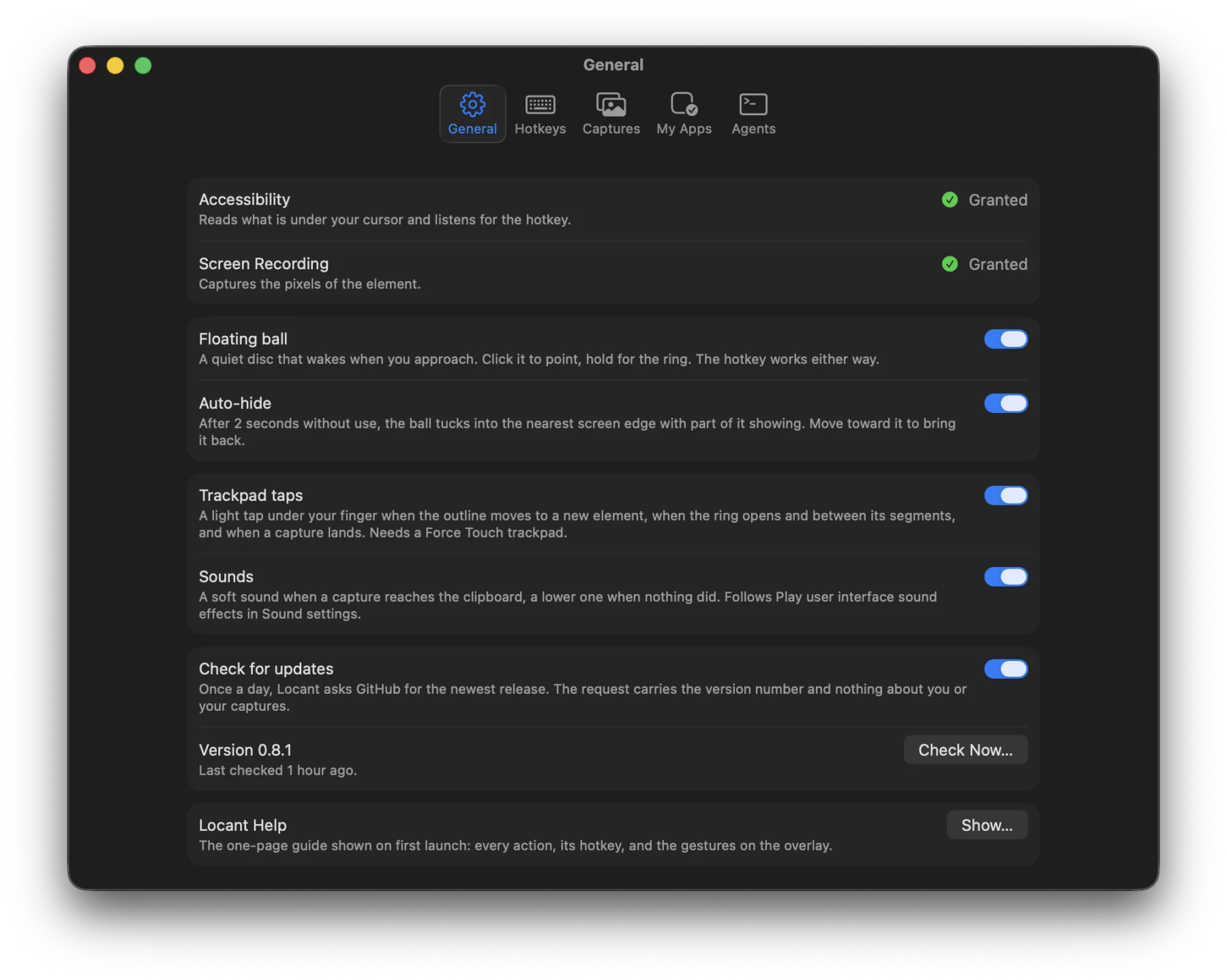
Settings had to pass for an Apple app's preferences: system controls only, and every default works on first launch.
Settings: the General tab in 0.8.1, with permissions, the ball, taps, sounds, and the update check
Point, note, paste, and see what changed, without once describing which button.
Measured
Half the time, and never the wrong copy
No users yet, so I ran a paired test. Claude Code's desktop app gives every session its own git worktree, so the app on screen is often built from a different checkout than the one the agent works in. The test set that up on purpose:
order-cards-redesign
Built the app on screen.
Tasks 1 to 4
session-7c1d
Where every agent runs.
On screen only in task 5, the control
main checkout
Not on screen.
Any change here is in the wrong place
Does the agent change the code on screen, or a look-alike in its own copy?
Five UI edits in Apple's Food Truck sample, four pairs each, the order alternated, graded blind. Both sides got the same crop and the same note. Only one also got Locant's text.
The first round found Locant short
With 0.9.0 as shipped, 9 of 20 Locant runs changed the wrong copy, against 13 of 20 with the screenshot. The payload named the folder that built the app, but agents read that line only when their own search came up empty. When their copy held something close enough, they changed that instead. The fix was one sentence under the Project line:
The app on screen was built from this folder. If you are working in a different checkout of this repo (another worktree or clone), your copy is not the code on screen: change it in this folder, or ask which copy to change.
From the capture for task 3, the look-alike, as round two's agents received it.
Same captures, one new sentence
The second round kept the captures and the notes and changed only that sentence. The screenshot side's messages were byte for byte the same, and its results barely moved: 13 of 20 wrong copies in round one, 14 in round two.
Screenshot + prompt
Locant capture
Time to the right file
39 s
Screenshot80 s
Locant39 s
Changed a wrong copy
0 of 20
Screenshot14 of 20
Locant0 of 20
Right with no reply
19 of 20
Screenshot4 of 20
Locant19 of 20
Cost per run
$0.55
Screenshot$1.26
Locant$0.55
Medians for time and cost; time counts the runs that reached the right file. Claude Code on Opus 5 at medium effort, a fresh session per run, no MCP on either side, every checkout reset between runs, the order alternated, graded blind. The fix came from these five tasks, so it still has to hold on new ones. Method, both rounds, and statistics
Time to the first change in the right file
Screenshot + prompt
Locant capture
Never got there
T1 Order pill
T2 Header badge
T3 Flavor bars
T4 Summary banner
T5 Control, the agent's own build
030 s60 s90 s120 s150 snever
Round two, time to the first change in the right file, in seconds, for each of the 20 pairs
Task
Pair
Screenshot + prompt
Locant capture
T1, Order pill
1
101
38
T1, Order pill
6
115
38
T1, Order pill
11
111
69
T1, Order pill
16
96
42
T2, Header badge
2
73
27
T2, Header badge
7
85
59
T2, Header badge
12
67
28
T2, Header badge
17
90
48
T3, Flavor bars
3
never reached it
44
T3, Flavor bars
8
never reached it
47
T3, Flavor bars
13
never reached it
51
T3, Flavor bars
18
never reached it
44
T4, Summary banner
4
142
39
T4, Summary banner
9
104
35
T4, Summary banner
14
66
36
T4, Summary banner
19
75
42
T5, Control, the agent's own build
5
31
32
T5, Control, the agent's own build
10
33
38
T5, Control, the agent's own build
15
37
29
T5, Control, the agent's own build
20
30
35
Each line is one task run both ways. On T3 the agent's own copy held a look-alike, a system gauge where the screen showed custom bars. With a screenshot it changed the look-alike every time and never noticed. With Locant it went to the code on screen every time. T5 is the control, the agent's own build on screen, and there both sides took about the same time.
Locant does not make the agent smarter. It tells the agent what pixels cannot: which element, and which copy of the code drew it.
Before any code. Two platforms already sent the window, and nothing sent the one element a fix is about.
02
Cut the MCP server, shipped text plus an image path
Inside the three hours. The pointing was the core; the server could wait, and when it came, it saved one paste.
03
Removed auto-send after it interrupted a live chat
In daily use. A send cannot be taken back, so Locant pastes and the person sends.
Understand the constraints. Scope, then build.
Each of those calls started from a constraint I understood before building: two platforms that already sent the window, a timer, and a send that cannot be taken back. The scope came out of the constraint, and the build followed the scope.
Every payload has two readers
Every capture is read twice: by me as I point, and by a model that sees only text. The label on the overlay is for the first reader. It says what the agent will get before I click. The image path leads the payload for the second, because a terminal agent can only open what the text tells it to.
Honest by default
The ladder names its rung instead of pretending. The agent table on the site says untested until someone has tested it. When the daily update check broke the promise of no network calls, every sentence that made the promise was rewritten to say what was true. And the site publishes the round that found Locant short, beside the round that fixed it.
Toward 1.0
0.9 is the release candidate, the version for feedback from Macs that are not mine. After 1.0: promote it, get more people using it, and polish from their feedback. Safari exposes the same web attributes as Chromium and has not been exercised yet, and because the payload's field names carry no Apple prefix, a port to another platform could write the same shape.